T-mini plus TOF Lidar for ROS2
Introduction to LiDAR and Testing T-mini Plus TOF LiDAR with ROS2
1. What is LiDAR?
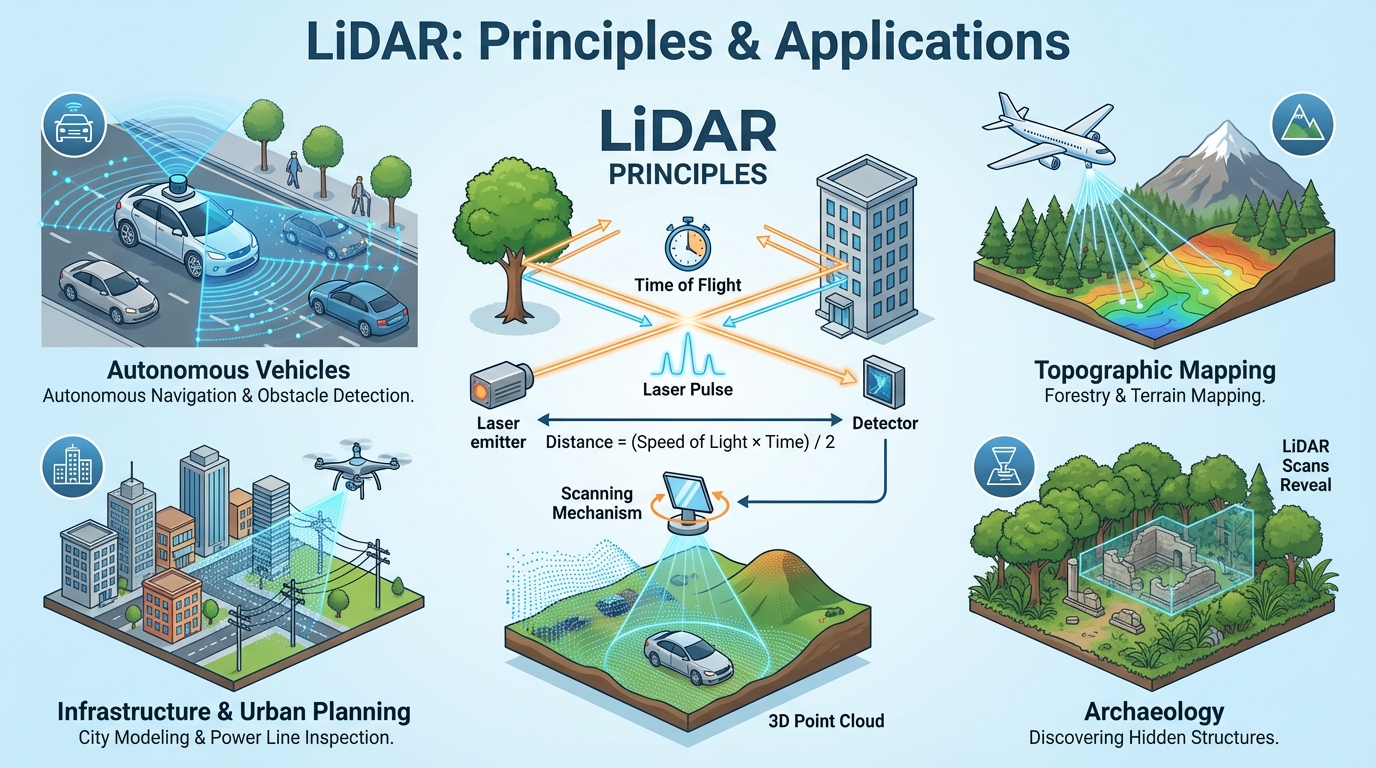
LiDAR (Light Detection and Ranging) is a technology that measures distances by emitting laser pulses and calculating the time it takes for them to reflect back from objects.
This allows the creation of precise 3D maps of the environment, widely used in autonomous driving, drones, robotics, and mapping.
2. T-mini Plus TOF LiDAR
The YDLIDAR T-mini Plus is a compact yet powerful Time-of-Flight (TOF) LiDAR sensor.
Key Features:
- Measurement range: up to 12m
- Scan angle: 360°
- Angular resolution: 0.54°
- Size: 38.6 × 38.6 × 33.9 mm
- Communication: UART interface
- Supports ROS1, ROS2, Windows, and Linux SDK
It is designed for developers who need a lightweight, reliable sensor that integrates well with ROS ecosystems. 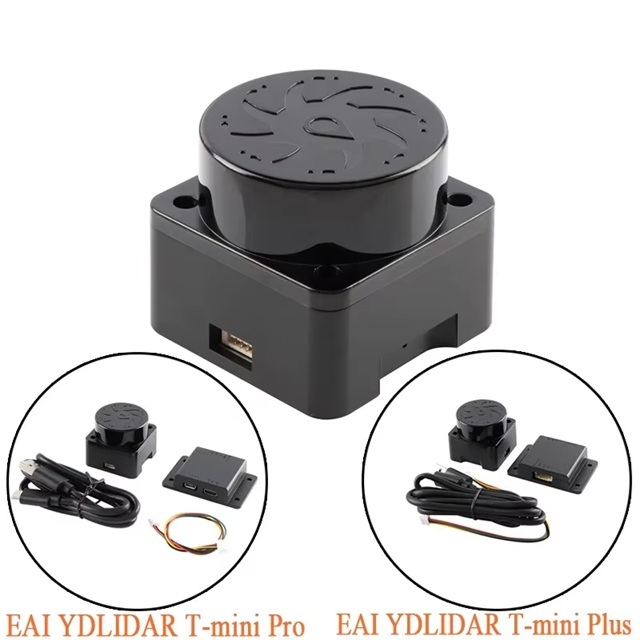 —
—
3. Build
1. YDLidar SDK build and install
1
2
3
4
5
git clone https://github.com/YDLIDAR/YDLidar-SDK.git
cd YDLidar-SDK
mkdir build && cd build
cmake ..
make && sudo make install
2. ydlidar_ros2_driver build and install
1
2
git clone https://github.com/YDLIDAR/ydlidar_ros2_driver
Build Fix Instructions for ydlidar_ros2_driver_node.cpp
Some modifications are required to complete the build. For example, in the ydlidar_ros2_driver_node.cpp file, the line:
1
2
node->declare_parameter("port");  // must be replaced by
node->declare_parameter("port", str_optvalue.c_str());
Similarly, parameters should be declared with default values that match their data types:
- Integer type:
1
node->declare_parameter("baudrate", optval);
- Boolean type:
1
node->declare_parameter("intensity", b_optvalue);
You must also change ydlidar_launch.py file as followings.
1
2
3
4
5
6
7
8
9
10
11
12
13
14
15
16
17
18
19
20
21
22
23
24
25
26
27

import os
from launch import LaunchDescription
from launch_ros.actions import LifecycleNode
from launch.substitutions import LaunchConfiguration
from ament_index_python.packages import get_package_share_directory

def generate_launch_description():
    #
    share_dir = get_package_share_directory('ydlidar_ros2_driver')
    parameter_file = os.path.join(share_dir, 'params', 'ydlidar.yaml')

    # for Humble
    driver_node = LifecycleNode(
        package='ydlidar_ros2_driver',
        executable='ydlidar_ros2_driver_node',
        name='ydlidar_ros2_driver_node',
        namespace='/',
        output='screen',
        emulate_tty=True,
        parameters=[parameter_file]
    )

    return LaunchDescription([
        driver_node
    ])
Finally, you must change ydlidar.yaml file as followings.
3. yaml
lidar_type is 1: TYPE_TOF (Time-of-Flight LiDAR) : T-mini pluse 2: TYPE_RPLIDAR (RPLIDAR LiDAR) 3: TYPE_TRIANGLE : X4 pro
1
2
3
4
5
6
7
8
9
10
11
12
13
14
15
16
17
18
19
20
21
22
23
24
ydlidar_ros2_driver_node:
  ros__parameters:
    port: /dev/ttyUSB0
    frame_id: laser_frame
    ignore_array: ""
    baudrate: 230400
    lidar_type: 1
    device_type: 0
    sample_rate: 4
    intensity_bit: 8
    abnormal_check_count: 4
    fixed_resolution: true
    reversion: true
    inverted: true
    auto_reconnect: true
    isSingleChannel: false
    intensity: true
    support_motor_dtr: false
    angle_max: 180.0
    angle_min: -180.0
    range_max: 12.0
    range_min: 0.05
    frequency: 10.0
    invalid_range_is_inf: false
4. run
1
2
3
4
5
6
7
8
9
10
11
12
13
go@ROS2:~/ydlidar_last$ ls -rtl
total 24
drwxrwxr-x 13 go go 4096  2월 16 16:08 YDLidar-SDK
drwxrwxr-x  3 go go 4096  2월 16 17:02 src
drwxrwxr-x  3 go go 4096  2월 16 17:08 log
drwxrwxr-x  4 go go 4096  2월 16 17:09 build
drwxrwxr-x  4 go go 4096  2월 16 17:09 install
-rwxr-xr-x  1 go go   76  2월 16 17:49 run.sh
go@ROS2:~/ydlidar_last$ cat run.sh
source install/setup.bash
ros2 launch ydlidar_ros2_driver ydlidar_launch.py
go@ROS2:~/ydlidar_last$ run.sh
4. Testing T-mini Plus with ROS2
Initially, I tried installing the official YDLidar SDK and the ydlidar_ros2_driver from GitHub.
However, the installation process was not smooth, with dependency issues and build errors that made it difficult to run stable tests in ROS2.
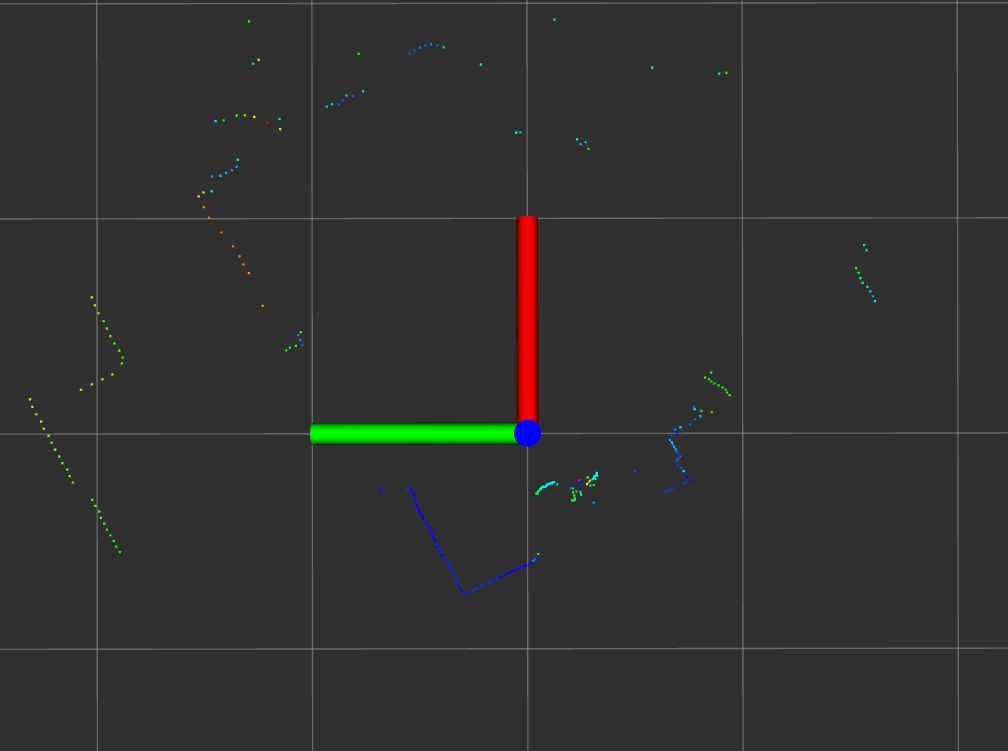
Since my ultimate goal was to deploy the sensor in a microROS environment, I decided to start by handling Raw Packets in C.
I implemented my own parsing logic to process the serial data directly, extracting distance and angle information without relying on the official SDK.
Differences Between ROS2 and microROS
- ROS2 nodes are typically written in C++ and integrate smoothly with the ROS ecosystem.
- microROS, however, requires C-based implementations. While C++ can technically be used, the exported functions must be wrapped with
extern "C", which adds complexity and overhead. - Given time constraints, I chose to implement everything in C for simplicity and direct control.
My Custom ROS2 Node
I built a ROS2 node from scratch to compare against the official driver:
- Removed unnecessary dependencies, relying only on core ROS2 packages.
- Implemented a lightweight parsing logic for raw sensor data.
- Designed the node to be resource-efficient, making it suitable for microROS deployment.
This approach gave me a deeper understanding of how the sensor works and highlighted the differences between ROS2 and microROS development.
Ultimately, my custom node proved to be more stable and better aligned with my project requirements.
https://github.com/gracesjy/ros2/
Conclusion
Working with the T-mini Plus TOF LiDAR provided valuable insights into both ROS2 and microROS development.
Although the official SDK and driver exist, building a custom node in C allowed me to overcome installation issues, simplify the workflow, and prepare for microROS integration.
This hands-on approach not only improved stability but also deepened my understanding of LiDAR data handling.