ROS2 YOLO
✅ Why ?
YOLO provides models that enable easy object recognition. ROS2 is a robotics framework that enables independent node development. Combining these two, I believe that we can now see some effective results by utilizing AI in Smart Factories and in our daily lives relatively easily and inexpensively.
The NVIDIA Jetson Nano’s performance is adequate for this task, but when it comes to developing something special, it makes sense to repurpose that old gaming laptop you have at home for this Object Detection task instead of throwing it away.
✅ Camera Related Works (Case-1 : Windows)
Install mediamtx.exe and ffmpeg.exe
and run
1
2
mediamtx.exe
ffmpeg -f dshow -i video="Integrated Camera" -video_size 640x400  -vcodec libx264 -rtsp_transport tcp -fflags nobuffer -tune zerolatency -f rtsp rtsp://localhost:8554/live
✅ Camera Related Works (Case-2 : Ubuntu)
✅ RTSP Publisher (ROS2, Ubuntu 22.04 LTS based on WSL2)
Above RTSP Camera Stream Server into ROS2 topic /camera/image_raw or other name.
1
2
3
4
5
6
7
8
9
10
11
12
13
14
15
16
17
18
19
20
21
22
23
24
25
26
27
28
29
30
31
32
33
34
35
36
37
38
39
40
41
42
43
import rclpy
from rclpy.node import Node
from sensor_msgs.msg import Image
from cv_bridge import CvBridge
import cv2

class RTSPPublisher(Node):
    def __init__(self):
        super().__init__('rtsp_publisher')
        self.rtsp_url = "rtsp://172.22.128.1:8554/live"
        self.publisher_ = self.create_publisher(Image, 'camera/image_raw', 10)
        self.bridge = CvBridge()

        # OpenCV RTSP
        self.cap = cv2.VideoCapture(self.rtsp_url)
        if not self.cap.isOpened():
            self.get_logger().error("❌ RTSP cannot open !")
        else:
            self.get_logger().info(f"✅ RTSP open succeeded : {self.rtsp_url}")

        # 30fps → 0.033s
        self.timer = self.create_timer(0.033, self.timer_callback)

    def timer_callback(self):
        ret, frame = self.cap.read()
        if ret:
            msg = self.bridge.cv2_to_imgmsg(frame, encoding="bgr8")
            self.publisher_.publish(msg)
        else:
            self.get_logger().warn("  RTSP frame read failed.")

def main(args=None):
    rclpy.init(args=args)
    node = RTSPPublisher()
    try:
        rclpy.spin(node)
    except KeyboardInterrupt:
        pass

    node.cap.release()
    node.destroy_node()
    rclpy.shutdown()
and run
1
2
source install/setup.bash
ros2 run rtsp_camera_publisher rtsp_pub
✅ YOLO node (ROS2, Ubuntu 22.04 LTS based on WSL2)
1
ros2 launch yolo_bringup yolov8.launch.py
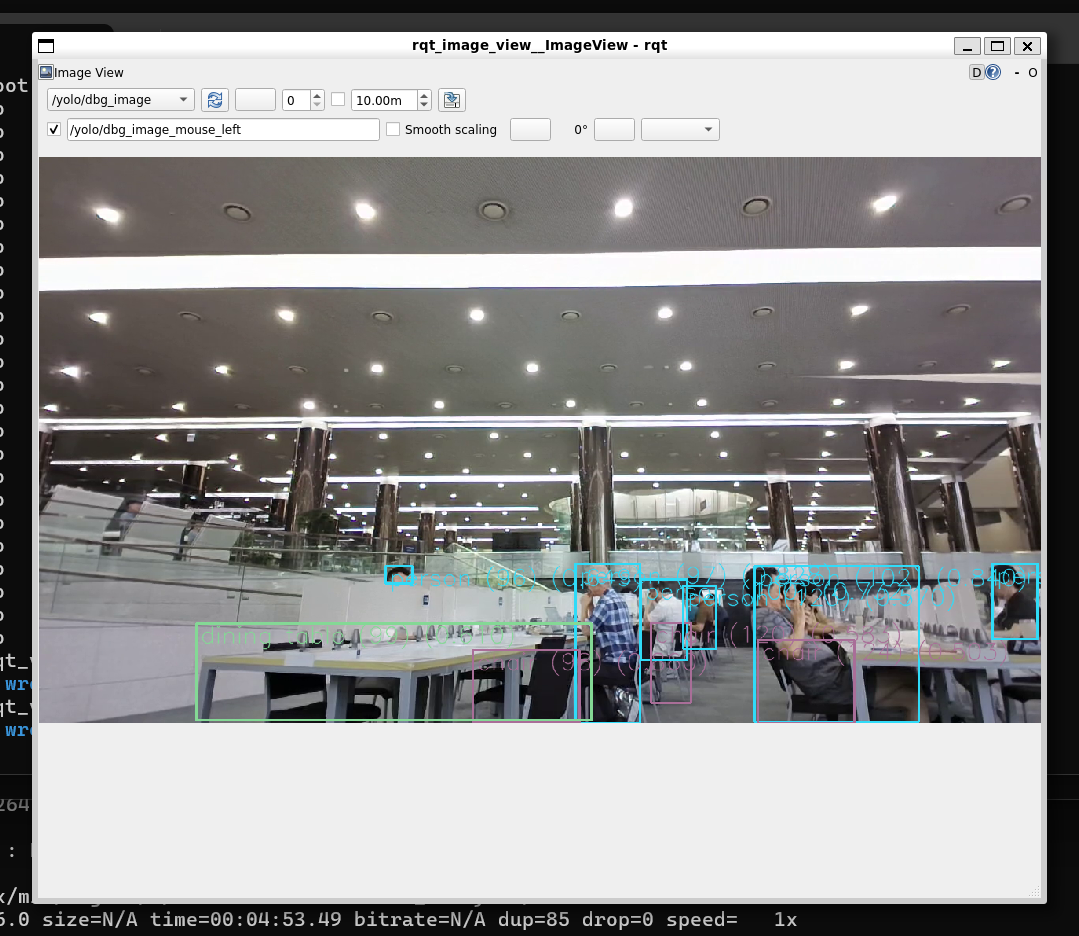
✅ RealTime Debugging View (ROS2, Ubuntu 22.04 LTS based on WSL2)
1
ros2 run rqt_image_view rqt_image_view
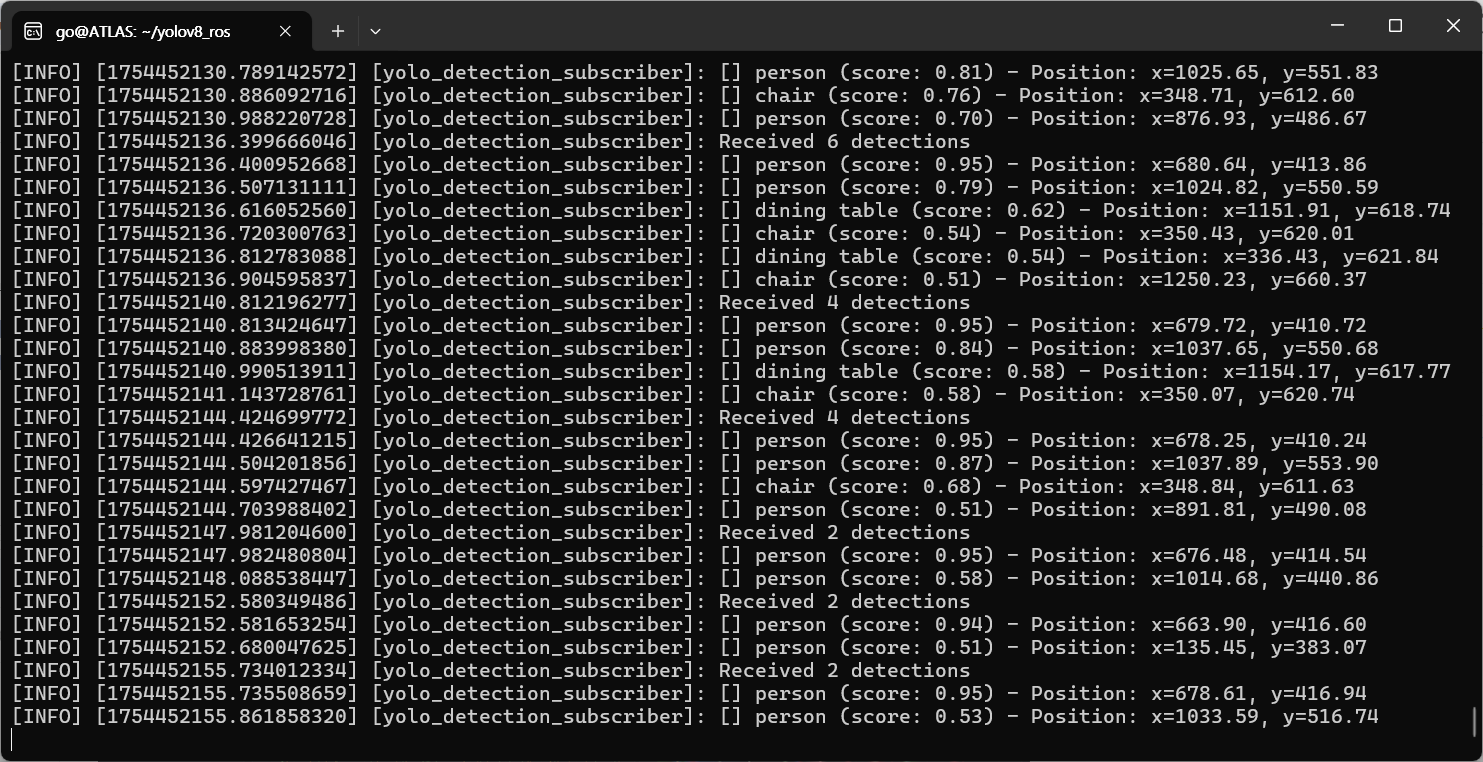
✅ Topic to RTSP Streaming (ROS2, Ubuntu 22.04 LTS based on WSL2)
Finally, a technique to view or save YOLO’s Object Detection Topic remotely by RTST Streaming, and you can transfer Topic Data to OPC-UA.
1
2
3
4
5
6
7
8
9
10
11
12
13
14
15
16
17
18
19
# Pre-Installation
sudo apt-get install libgstreamer-plugins-base1.0-dev libgstreamer-plugins-good1.0-dev libgstreamer-plugins-bad1.0-dev libgstrtspserver-1.0-dev gstreamer1.0-plugins-ugly gstreamer1.0-plugins-bad

cd
mkdir -p ros2_ws/src
cd ros2_ws/src/

git clone https://github.com/maladzenkau/image2rtsp.git --single-branch

gedit ~/ros2_ws/src/image2rtsp/config/parameters.yaml

# Build
cd ~/ros2_ws/
colcon build --packages-select image2rtsp

# RUN
source install/setup.bash
ros2 launch image2rtsp image2rtsp.launch.py
For Ubuntu Desktop(Gnome,KDE), the following error occurs during build:
1
2
3
4
5
6
  The following required packages were not found:

   - gstreamer-1.0
   - gstreamer-app-1.0
   - gstreamer-rtsp-server-1.0
I solved it with Copilot.